To plan a garden office, sort out four things before the building arrives: whether you need a permit, how power will get there, how you’ll connect to the internet, and how you’ll heat and cool it. Permits depend on your local rules and the building’s size. Power should come from a licensed electrician on a dedicated, GFCI-protected circuit. For internet, a buried Ethernet cable is the most reliable choice, with mesh Wi-Fi as the simpler fallback.
Buying the garden office is the fun part. Planning the logistics is what makes it usable. Power, internet, heating, cooling and permits don’t sound exciting, but getting them right is the difference between a real workspace and an expensive shed you visit twice. Here’s what to plan before your prefab garden office arrives.
Permits: Do You Need One?
The same rules that apply to gazebos apply to garden offices. Most jurisdictions base requirements on square footage, height, distance from property lines, and whether the structure is freestanding or attached to the house. A 10×10 (100 sq ft) often falls at or below an exemption threshold, while larger models may need a permit. Our permit guide explains what to check with your local building department.
Westview offers engineering documentation for permit applications and HOA approvals. If you plan to run electrical to the office, and you should, the electrical work may need its own permit and inspection even if the structure doesn’t. Ask your building department about both. The foundation is the third item to settle: Westview’s pages mention concrete pads, decks and pavers as options.

Electricity: Running Power to Your Office
A backyard office without electricity is a reading nook. With power, it’s a real workspace. Here’s what’s involved:
- Hire a licensed electrician. Running a circuit to an outbuilding involves permits, burial depth or overhead rules, conduit, and GFCI protection, and these vary by location. Get quotes: cost depends on trench distance and your panel’s capacity.
- Decide the capacity early. Tally what will run at once, such as monitors, computer, lighting, a heater and perhaps a mini-split. A 1,500 W space heater draws about 12.5 amps at 120 volts, so heat plus electronics usually calls for a 20-amp circuit at minimum, and a sub-panel gives you room to add later. Your electrician will size it to code.
- Plan the outlets. Count on 4 to 6 outlets on different walls, overhead or wall lighting, and a dedicated circuit for heating and cooling. Add USB outlets next to the desk if you like.
- Do it before the floor goes in. If the trench is open for the pad, coordinate timing so wiring and conduit are in before the building is set.
Power and internet setup checklist
| Item | What to decide | Who handles it |
|---|---|---|
| Permit for building and electrical | Local thresholds, inspections | You and your building department |
| Power feed | Dedicated circuit or sub-panel, GFCI, trench path | Licensed electrician |
| Outlets and lighting | 4 to 6 outlets, lights, USB ports | Electrician |
| Data line | Direct-burial Ethernet in its own conduit | Electrician or you |
| Wi-Fi coverage | Access point or mesh node in the office | You |
| Heating and cooling | Heater, mini-split or portable AC | You or HVAC installer |
| Foundation | Concrete pad, deck or pavers | You or a contractor |
Internet: Getting Connected
You have three realistic options:
- Ethernet cable: The most reliable option. Run outdoor-rated, direct-burial Cat6 from your router or switch to the office in its own conduit. Keep it in a separate conduit from line-voltage wiring, though it can share the trench, and keep the run under about 300 feet. If the trench is open for power, adding data costs little extra.
- Mesh Wi-Fi: Place a mesh node inside the office. Modern mesh systems handle the distance to a backyard building well when the signal path is clear, which is good for most work including video calls. Check signal strength before you trust it for all-day calls.
- Wi-Fi range extender: The budget option. It works for basic tasks but may drop during video calls if the signal path is weak. Mesh is more reliable.
For most remote workers, mesh Wi-Fi is enough. If you’re on video calls all day or move large files, run Ethernet.

Heating and Cooling
Owners use Westview buildings year-round. One Brentwood 10×10 owner uses theirs as an office with a small heater and says it holds warmth well, and an Illinois Brentwood 16×28 owner installed infrared heaters. For a dedicated year-round office, plan the climate control up front:
- Heating: A small electric heater is the simplest option for a 10×10. Wall-mounted panel or infrared heaters work without taking floor space. Size the heater to the room and the circuit.
- Cooling: A portable AC or a mini-split keeps the room workable on hot days. Sliding windows with optional screens help with airflow.
- Insulation: Westview gazebos don’t come insulated, but insulation can be added. Plan it before you finish the interior and run the wiring. Insulation affects both comfort and the energy cost of heating and cooling.
What Order Should You Do It In?
- Confirm permit requirements for the building and the electrical work.
- Choose the model and measure the site, including the path for power and data.
- Prepare the foundation and, while it’s open, lay conduit for power and Ethernet.
- Assemble the building from the pre-assembled panels; Westview’s pages put the 10×10 and 12×12 models at about one day for two people.
- Have the electrician finish the wiring, then add heating, internet and furniture.
Furniture and Layout
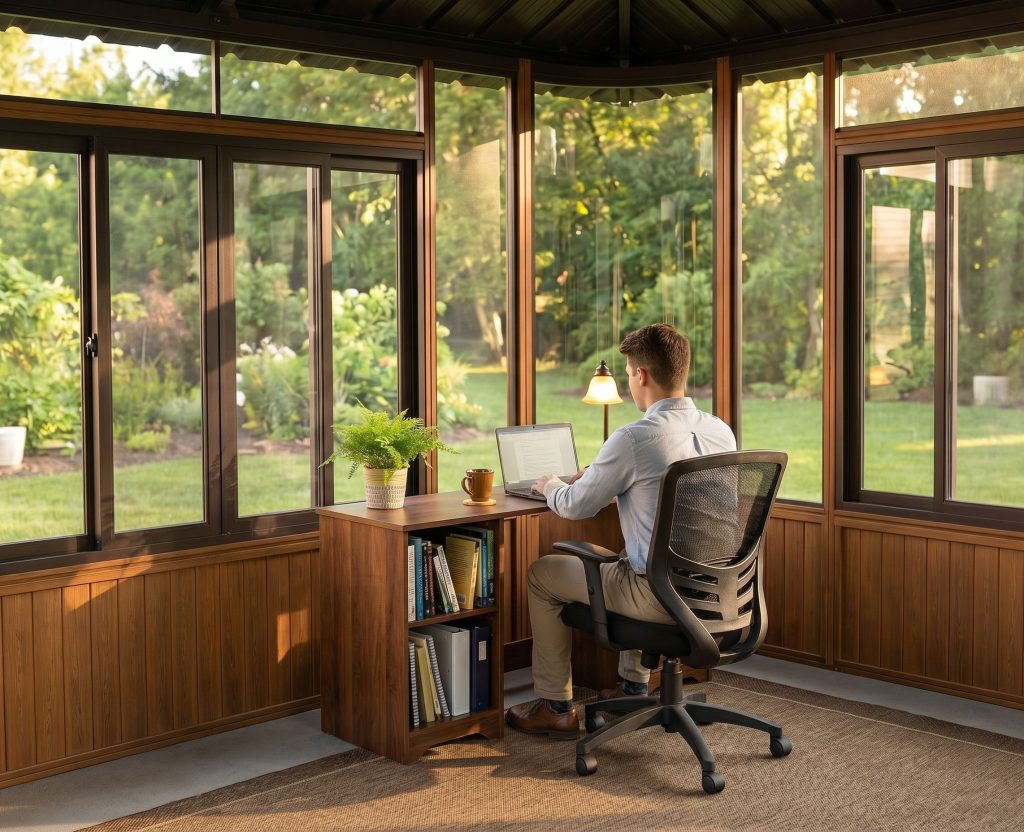
A 10×10 has roughly 9 x 9 feet of interior space (the Brentwood 10×10 and Denali 10×10 are both 108 5/8 inches square inside). That fits a full-size desk, a chair, a bookshelf and a small side table. The 10×14 models (Aspen, Colorado) have about 9 x 13 feet, and the 12×12 (Aspen, Colorado) about 11 x 11. Place the desk facing the door or a window for light and keep the wall behind you tidy for video calls. Larger models can handle a standing desk, a reading corner or client seating.
For model sizes and options, see Westview’s garden offices and backyard studios, or the longer overview in our guide to a backyard office. Questions? Call 1-800-895-1972 or use the contact form.
Shop Westview: Hot Tub Gazebos & Enclosures · Aluminum Pergolas · Spa Steps · Current Deals